Smart Market — Complete POS, Inventory & Restaurant Management System
Laravel 13 + React 19 Multilingual (AR / EN, RTL & LTR) POS + Inventory + Restaurant Multi-Branch SaaS Ready
Smart Market is a complete, production-ready management system for retail stores, supermarkets, cafés, and restaurants. It combines a fast Point of Sale, real-time inventory control, purchasing, kitchen workflow (KDS), HR & payroll, customer loyalty, and advanced reporting in one modern bilingual web application built with Laravel 13, React 19, Inertia.js, and Tailwind CSS.

Live Demo & Documentation
- Demo URL: https://your-demo-domain.com
- Admin login: admin@market.com / password
- Manager login: manager@market.com / password
- Cashier login: cashier@market.com / password
- Documentation: Included inside the package in the /doc folder
Who Is It For?
| Retail & Supermarkets Barcode scanning, fast checkout, multi-branch stock, supplier management, sales reports. |
Restaurants & Cafés Tables, QR digital menu, customer self-ordering, Kitchen Display System, table sessions, reviews. |
| Wholesalers & Distributors Purchases, supplier ledger, batch/expiry tracking, branch transfers, bulk import. |
Developers & Agencies Clean modular Laravel + React codebase ready for white-labeling, SaaS, or client delivery. |
Main Features
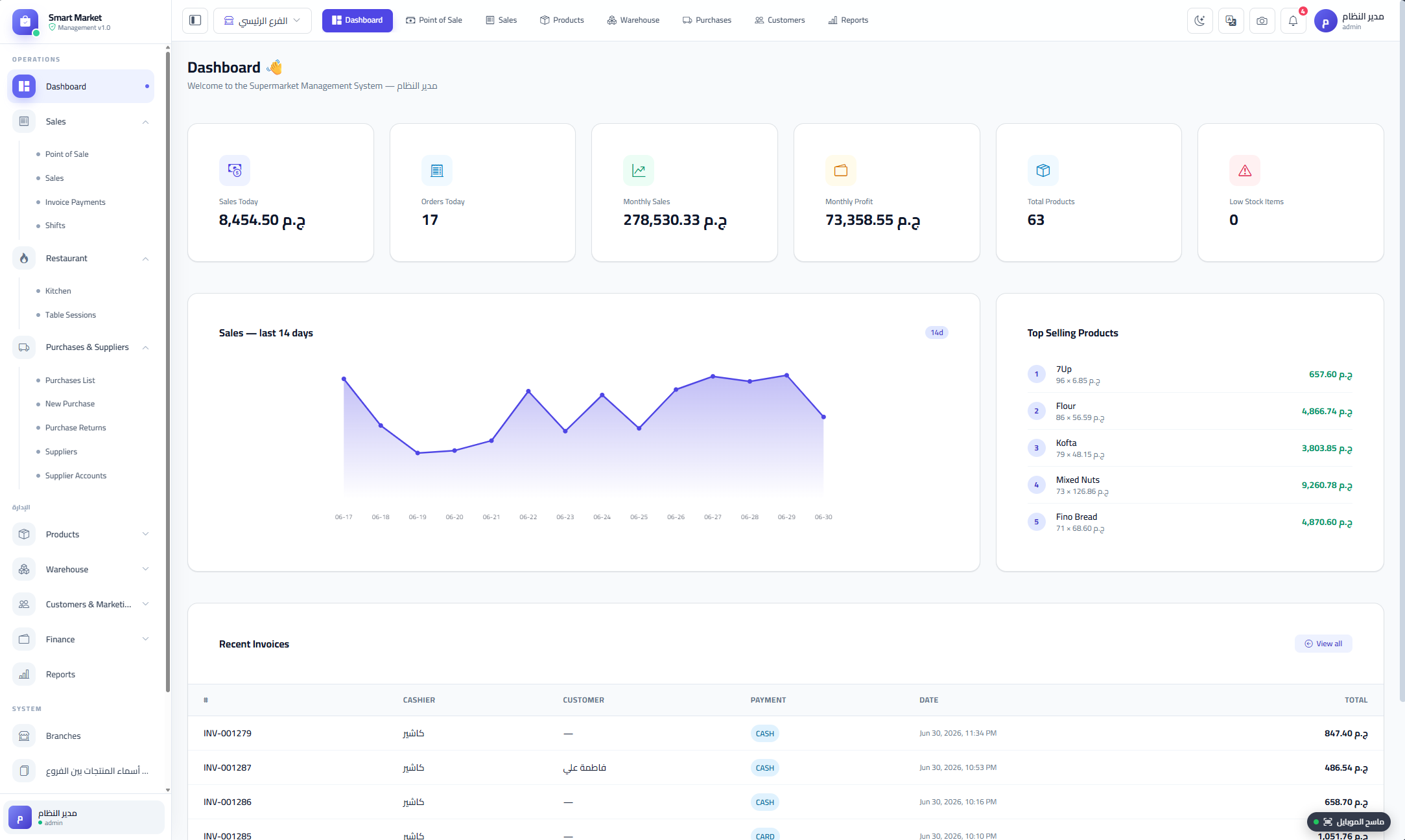
- Dashboard: Branch-scoped KPIs, 14-day sales chart, top products, low-stock alerts, recent invoices.
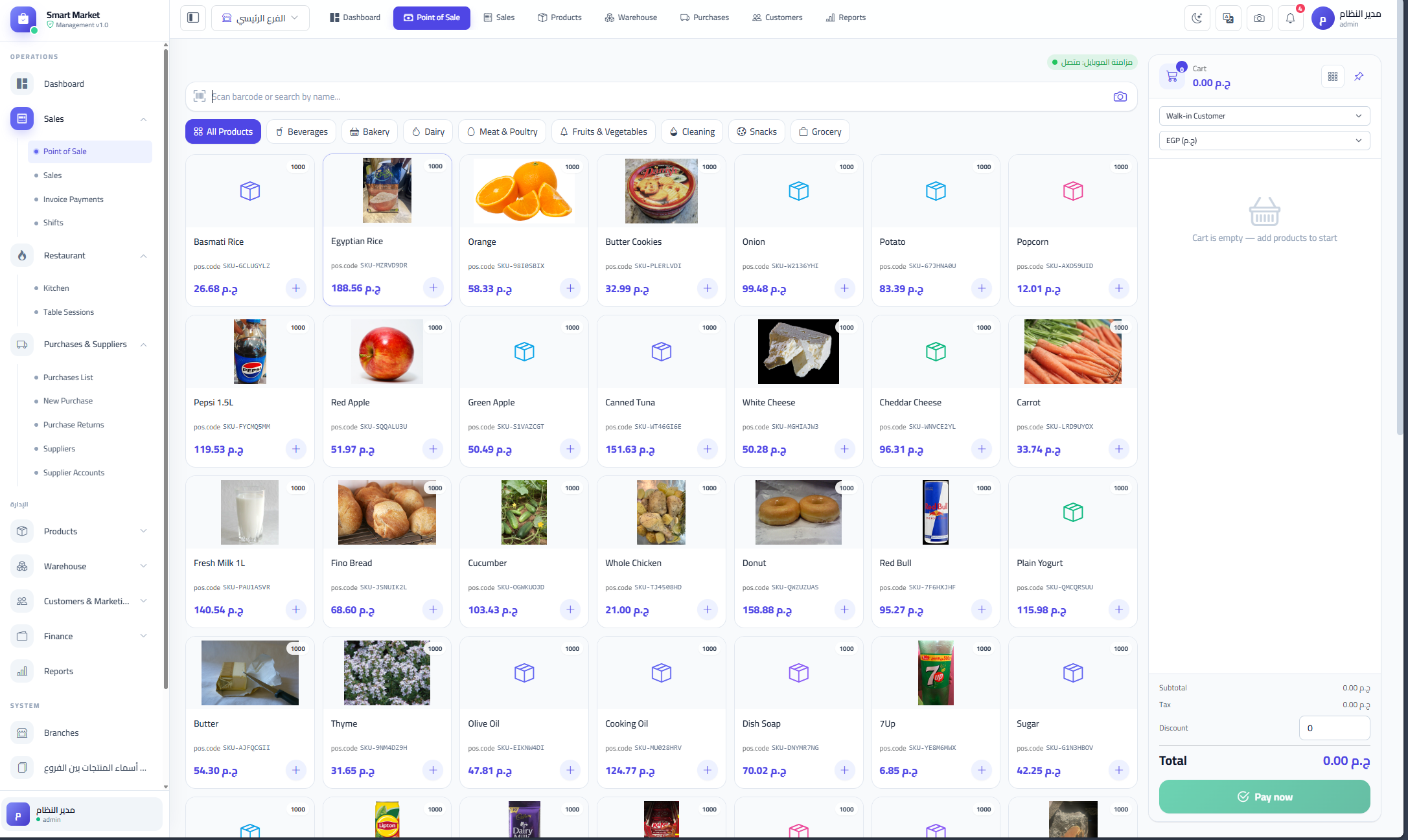
- Point of Sale (POS): Product grid, barcode search, category filters, cart, line discounts, coupons, loyalty points, multiple payment methods, pending orders, sound feedback.
- Mobile Scanner: Use any phone camera as a wireless barcode scanner that feeds directly into the POS cart.
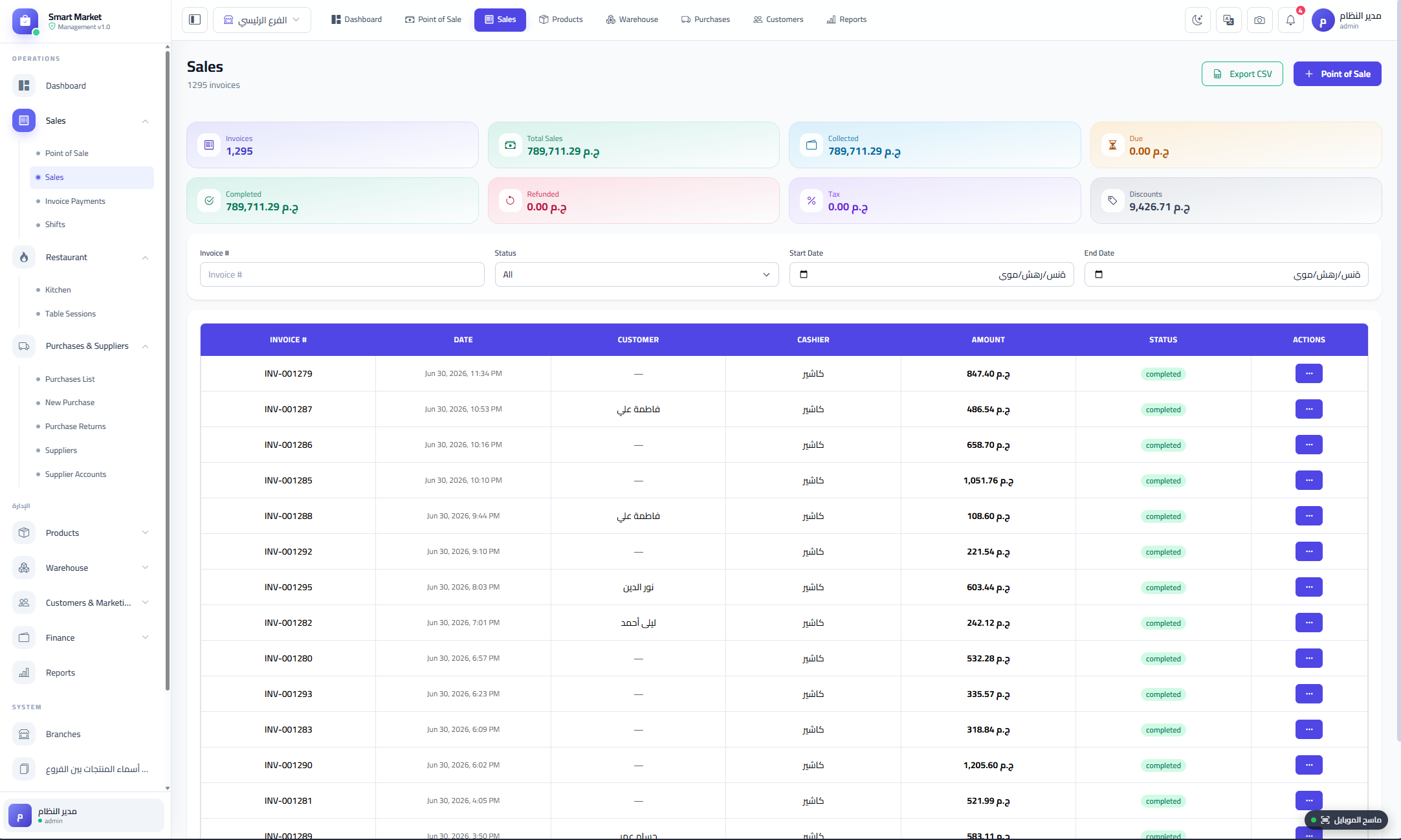
- Sales & Invoicing: Invoice list, detailed invoice view, full refunds, public invoice page via QR code, customer reviews.
- Customers & Loyalty: Customer CRM, phone/address tracking, loyalty points earning and redemption.
- Purchases & Suppliers: Purchase invoices, purchase returns, supplier CRUD, supplier account statement, multi-currency, batch/expiry tracking.
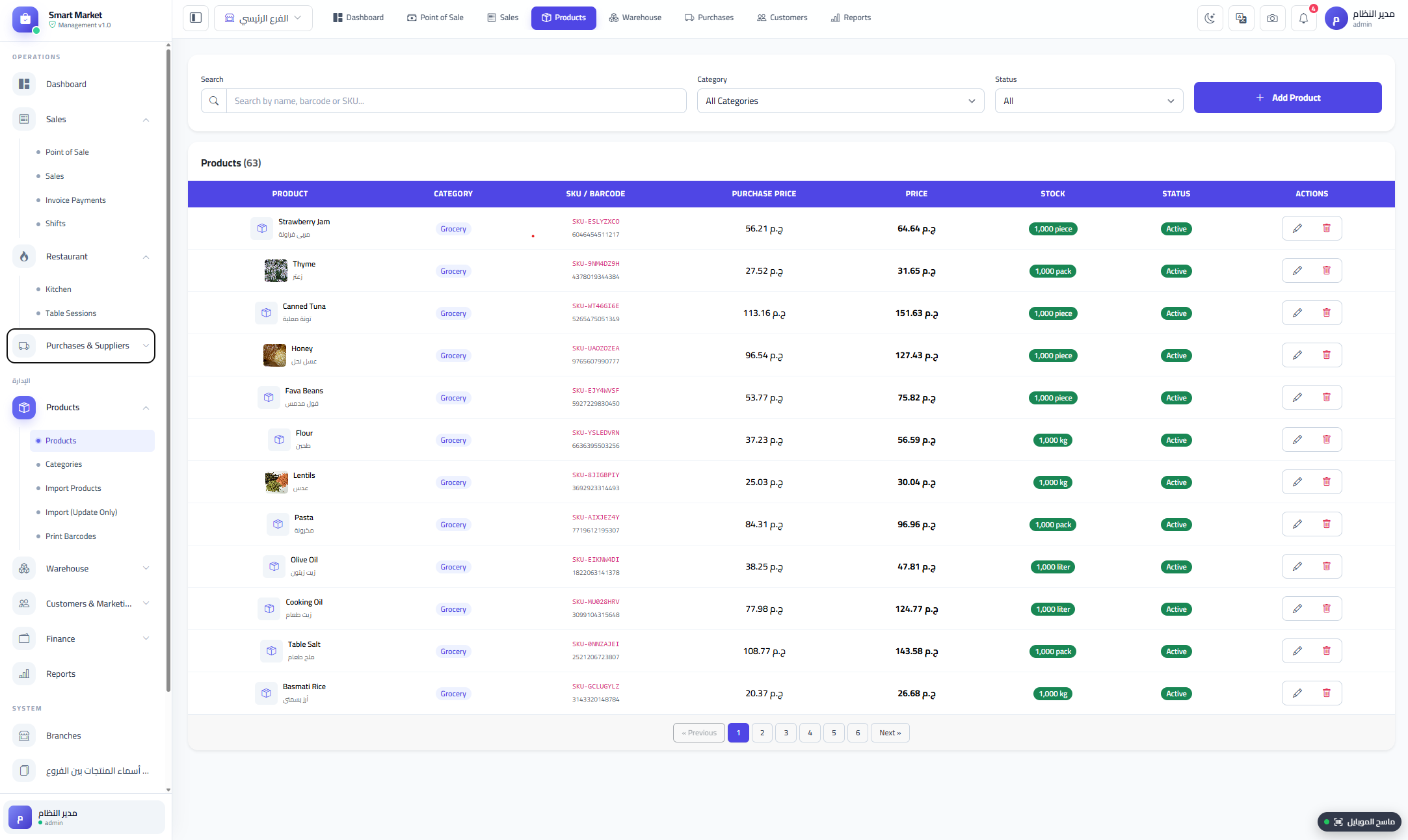
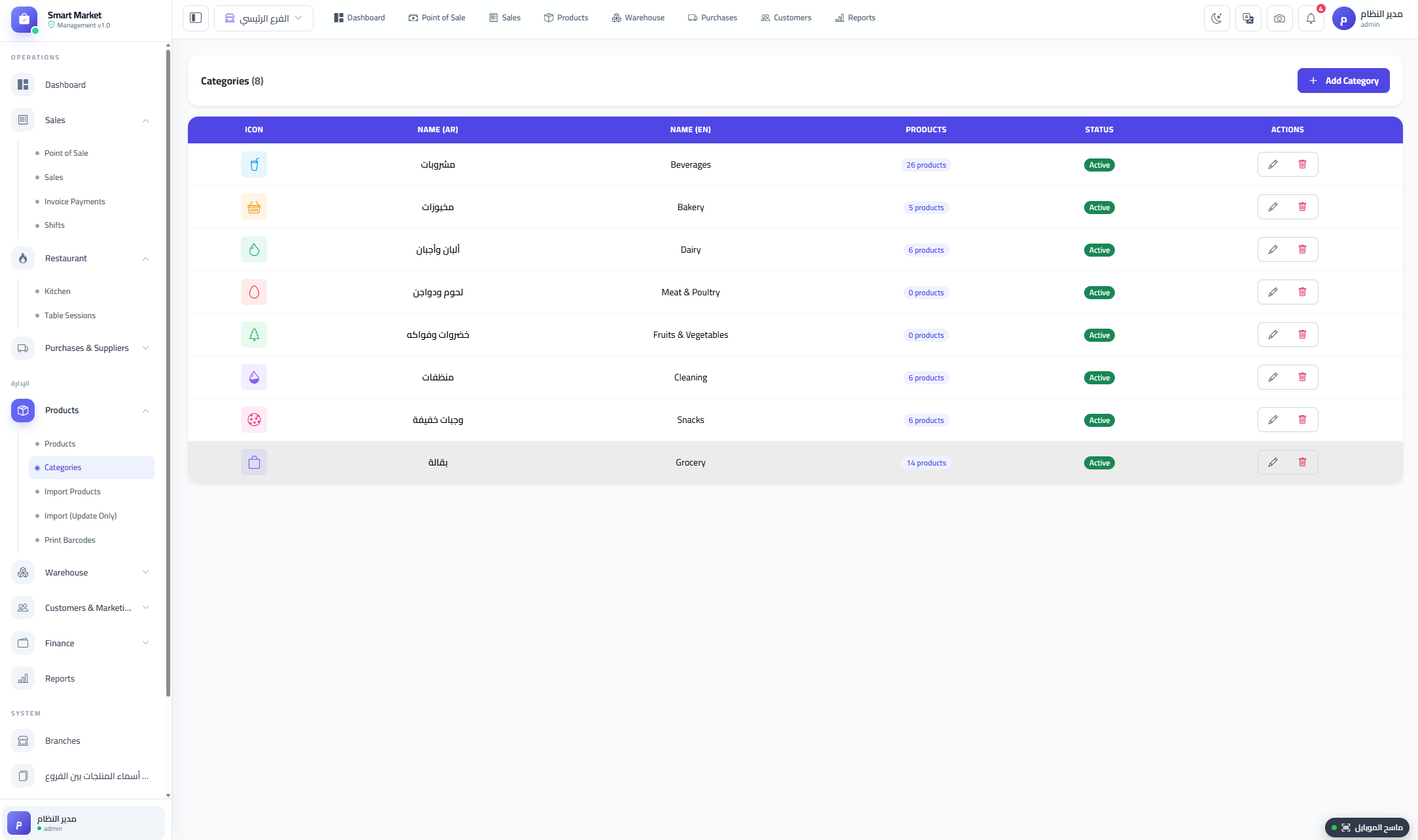
- Products & Catalog: Arabic/English names, SKU, barcode, cost/sale price, tax, stock threshold, unit, image, CSV bulk import, initial stock, barcode label printing.
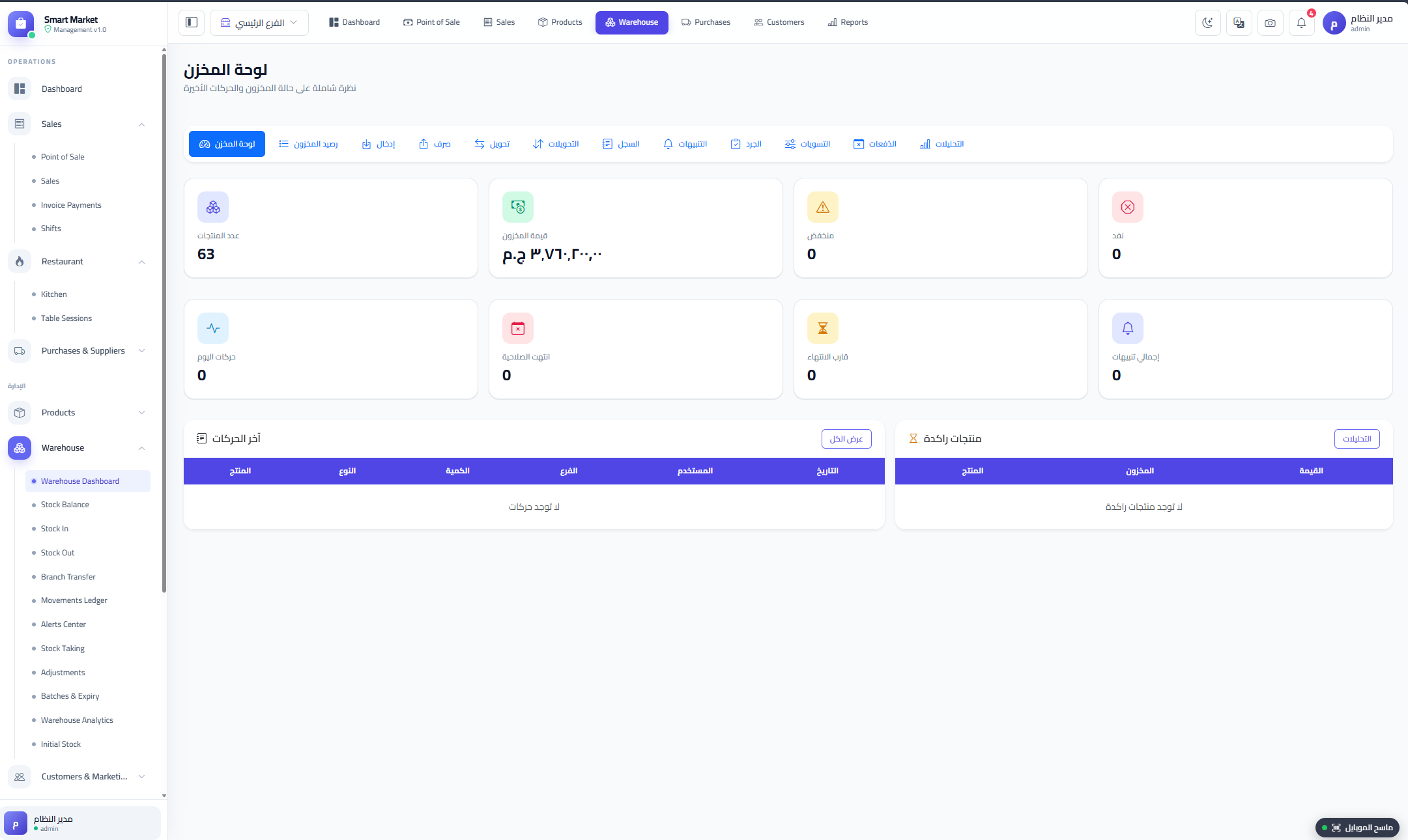
- Warehouse & Inventory: Warehouse dashboard, stock per branch, stock-in/out, transfers, movement ledger, alerts, stagnant & expiry alerts, stock taking with variance, adjustments, batches and analytics.
- Multi-Branch: Per-branch stock isolation, branch switching, branch-scoped categories and coupons, admin catalog transfer between branches.
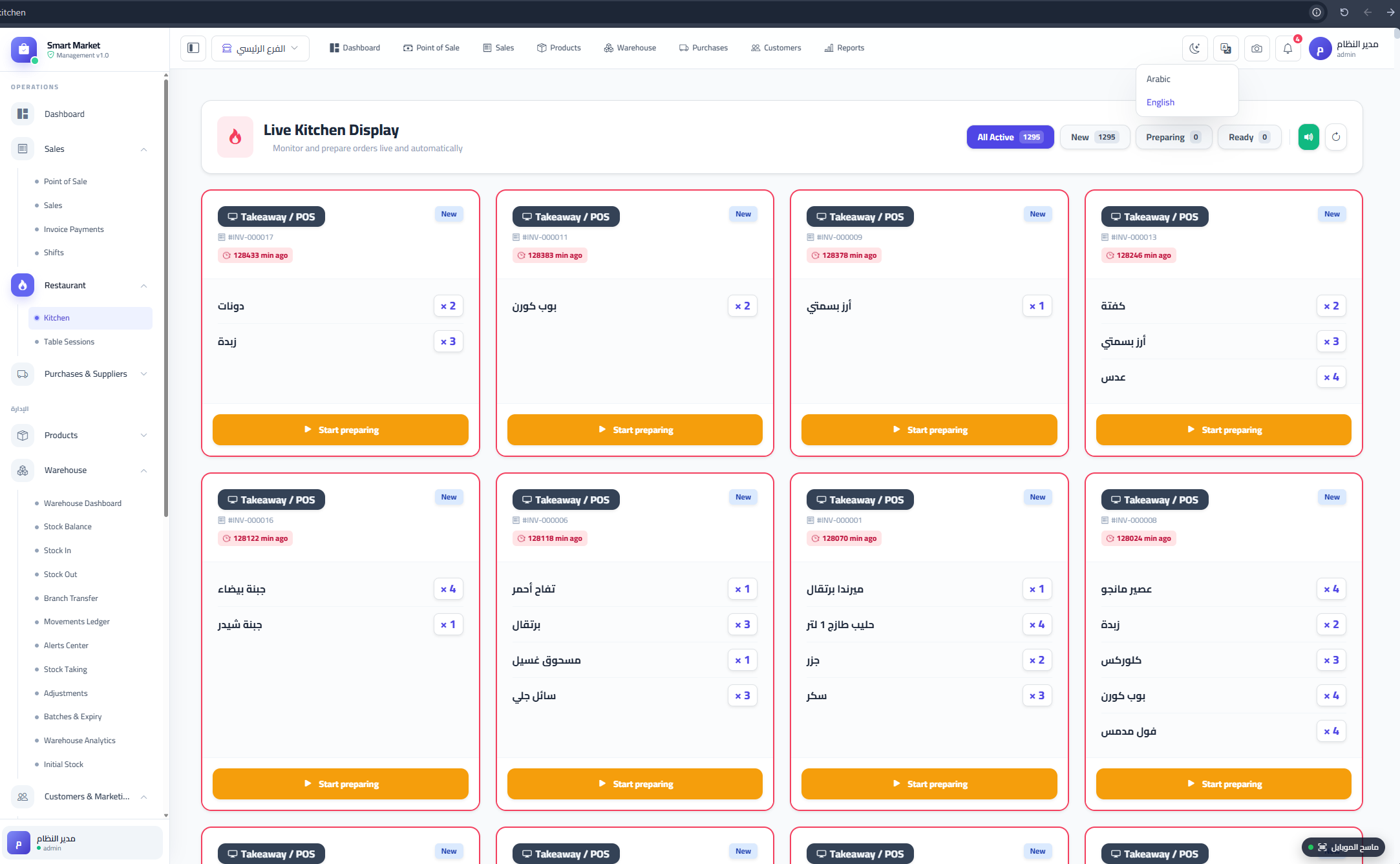
- Restaurant: Table management, table QR tokens, public digital menu, customer self-ordering, Kitchen Display System (KDS), table session audit.
- Shifts: Cashier shift open/close, expected vs actual cash, PDF and CSV export.
- Finance & HR: Expenses with categories, employees, payroll, bonuses, deductions, automatic salary expense logging.
- Coupons & Offers: Percent/fixed coupons, product-specific coupons, auto-apply, usage limits, expiry dates, loyalty settings.
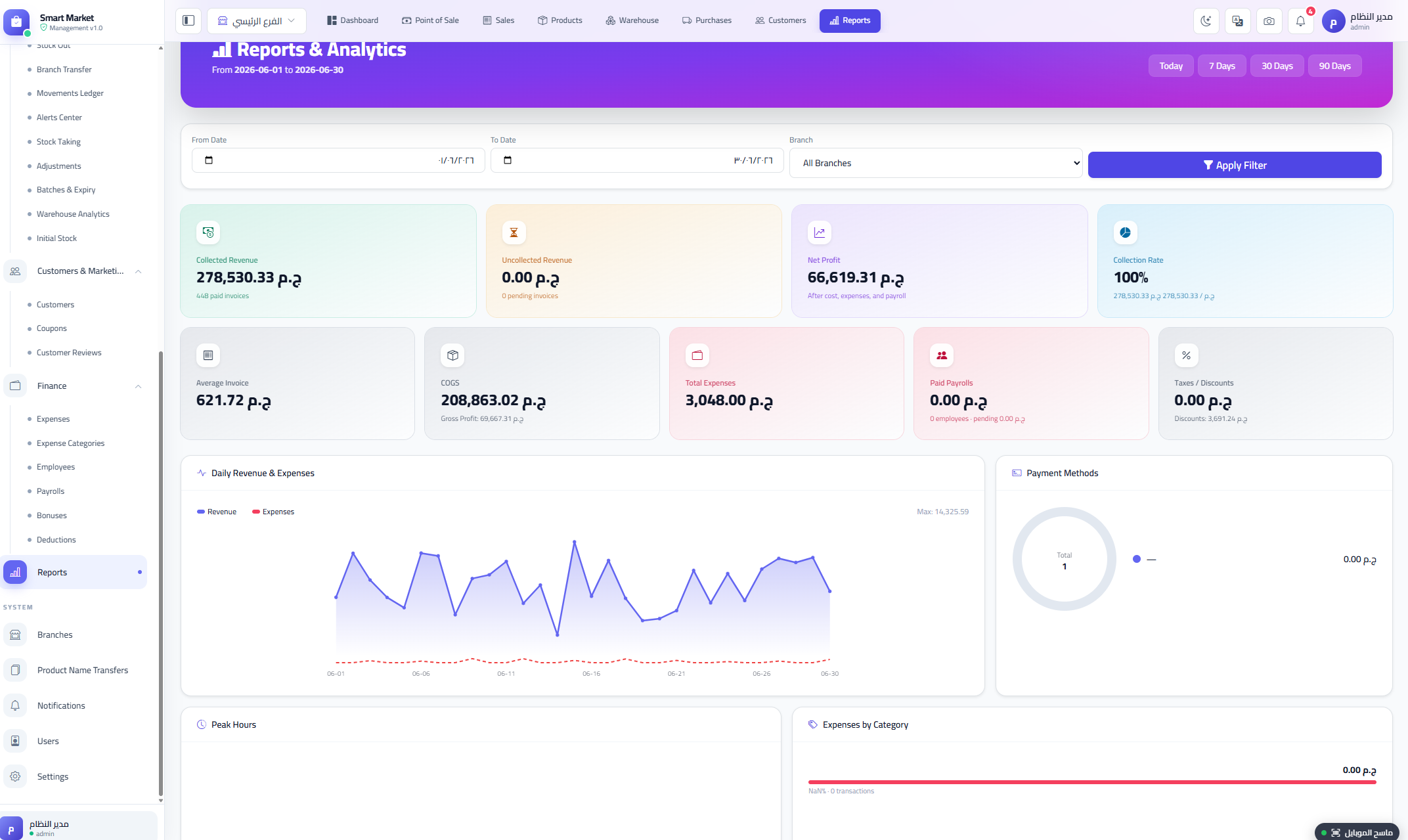
- Reports & Analytics: Unified overview, revenue, profit, expenses, payroll, daily chart, peak hours, payment breakdown, top products, top unpaid invoices.
- Users, Roles & Permissions: Granular JSON permissions for Admin, Manager, Cashier, and Kitchen roles.
- Notifications: In-app notification bell for low stock, refunds, and sales alerts.
- Settings: Store info, tax, service charge, currencies, payment methods, receipt width, QR settings, POS sound, public menu.
- Smart Web Installer: Browser-based installer that checks requirements, configures the database, runs migrations, and seeds default data.
Screenshots
Main Dashboard
Point of Sale (POS)
Products & Catalog
Warehouse & Inventory
Purchases & Suppliers
Sales & Invoices
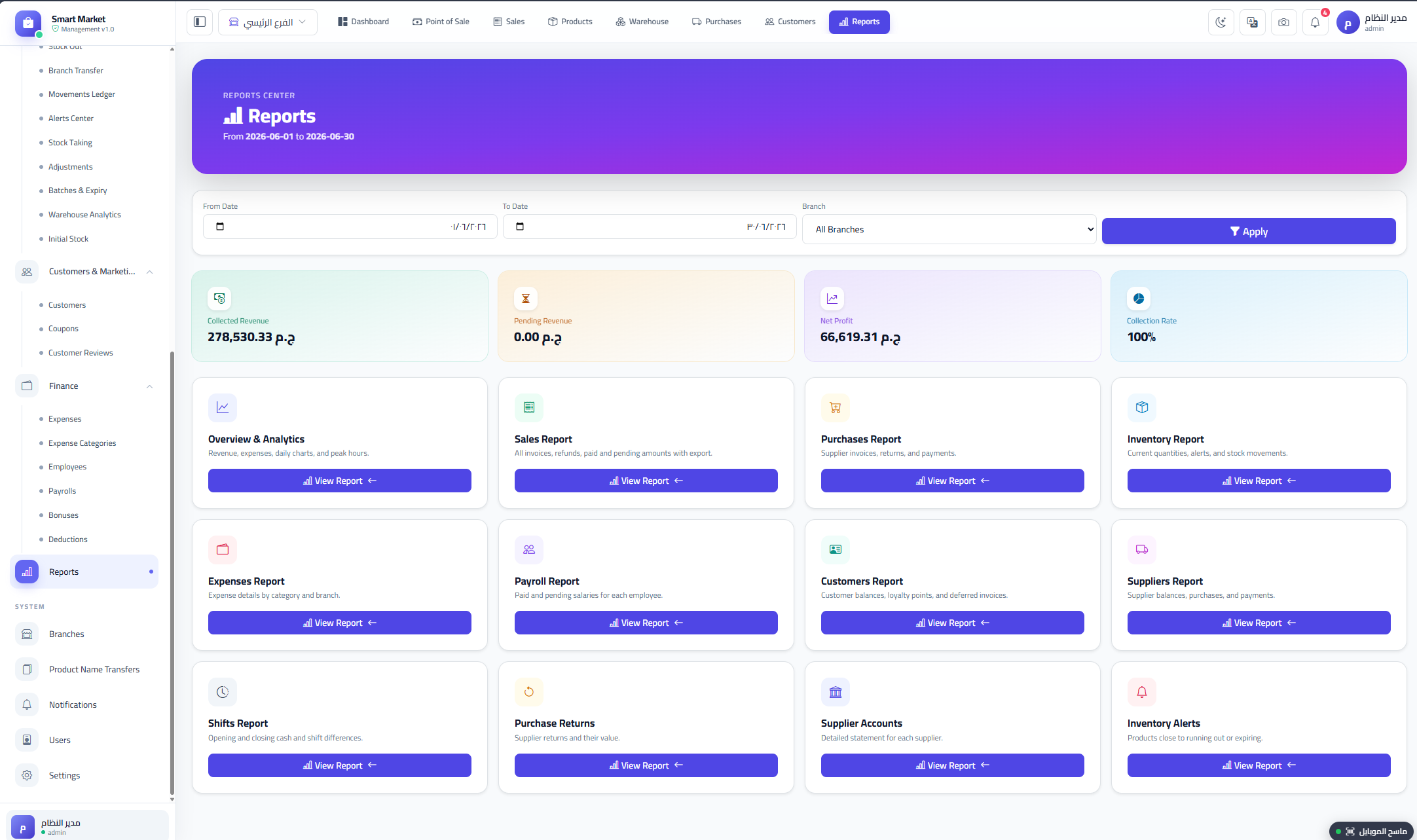
Reports & Analytics
Kitchen Display System (KDS)
Settings & Multi-Currency
User Roles & Permissions
| Role | Access |
|---|---|
| Admin | Full access to all modules, branches, settings, users and transfers. |
| Manager | POS, sales, purchases, products, suppliers, inventory, customers, reports, coupons, kitchen, shifts, expenses, payroll. |
| Cashier | Dashboard, POS, sales, customers, coupons, shift open/close, expenses. |
| Kitchen | Kitchen Display and order status updates. |
Technology Stack
| Layer | Technology |
|---|---|
| Backend | Laravel 13.8, PHP 8.3+ |
| Frontend | React 19, Inertia.js 2, Vite |
| Styling | Tailwind CSS 3.4, Bootstrap 5.3 |
| Icons | Bootstrap Icons, Lucide React |
| Charts | Recharts |
| Scanning | @zxing/browser, @zxing/library |
| Barcodes / QR | jsbarcode, qrcode |
| Database | MySQL / MariaDB / SQLite |
| Auth | Laravel Breeze / Sanctum |
Why Choose Smart Market?
- Complete business logic — not a starter kit, but a full POS, inventory, and restaurant workflow system.
- Clean codebase following Laravel and React best practices, with modular controllers and reusable components.
- Multilingual & RTL — Arabic and English are built-in; easy to add more languages.
- True Multi-Branch — per-branch stock and user scoping, not just a flag.
- SaaS-ready foundation, can be extended into a subscription product.
- Restaurant + Retail — two major verticals in one codebase.
- Smart Web Installer — one-click setup for non-technical buyers.
Server Requirements
- PHP 8.3 or higher
- MySQL 5.7+ / MariaDB 10.3+ / SQLite
- Required PHP extensions: BCMath, Ctype, JSON, Mbstring, OpenSSL, PDO, Tokenizer, XML, Fileinfo, GD
- Composer 2.x and Node.js 18+ (only for building assets — precompiled build is included)
- Apache or Nginx with mod_rewrite enabled
Installation
- Upload the package to your server and point your domain to the /public folder.
- Open the URL in your browser — the built-in Smart Web Installer launches automatically.
- The installer checks PHP extensions and writable paths, asks for database credentials, and runs migrations and seeds default data.
- Log in with the admin account created during installation and start using the system.
Support
Full documentation is included inside the package. For installation help, bug reports, or pre-sale questions, please use the Comments tab on this item page or contact us through our Envato profile. Support requests are answered within 24–48 hours on business days.
Changelog
Version 26.7.1 — Initial release: POS, Inventory, Multi-Branch, Restaurant/KDS, Purchases, HR & Payroll, Reports, Coupons, Smart Web Installer, Arabic/English support.
If this item helped your business, please consider leaving a 5-star rating on your Downloads page. It really helps us keep improving Smart Market. Thank you!